
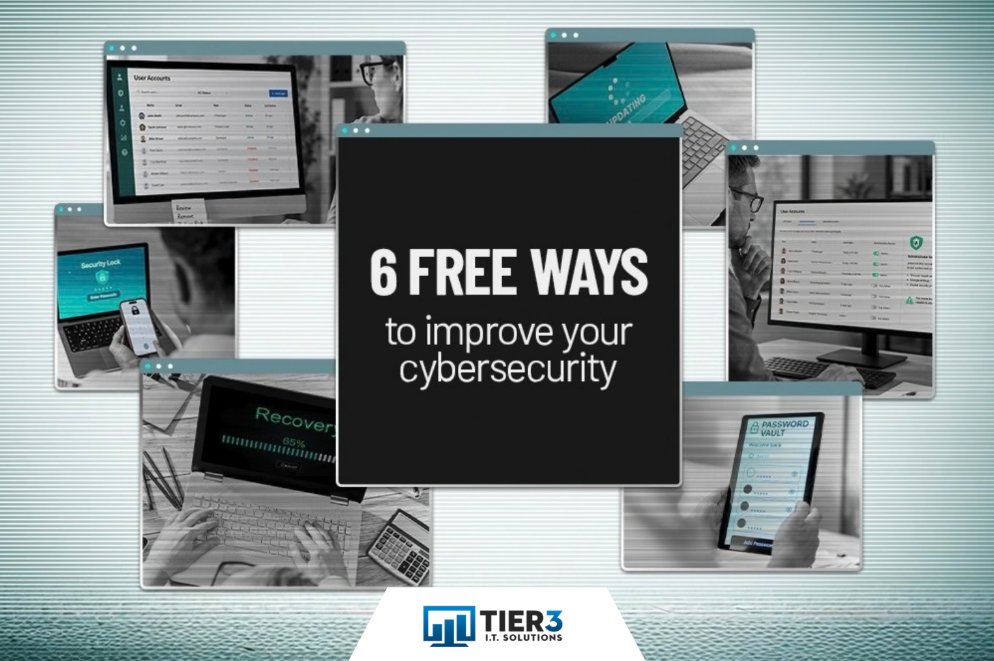
Most businesses think cybersecurity means buying the latest gadgets. The truth is simpler: many risks come from overlooked basics that anyone can fix. Below are 6 straightforward steps to boost your defenses without spending a dime. If you’re looking for practical advice from a trusted IT Service Provider in Edmonton, keep reading.
Why Basic Security Practices Matter More Than You Think
Cybersecurity is often seen as a technology problem that requires expensive tools and complex solutions. But for many businesses across Edmonton and Alberta, the biggest risks come from basic security practices that have been missed, delayed, or applied inconsistently.
As a managed service provider Edmonton businesses trust, we see this pattern regularly. Companies invest in antivirus software and firewalls while leaving fundamental gaps wide open. The good news? You can close many of these gaps right now without adding to your budget.
6 Free Improvements That Reduce Real Risk
1. Turn on Multi-Factor Authentication
If you haven’t enabled multi-factor authentication yet, make this your top priority. MFA requires users to verify their identity in more than one way before gaining access to an account or resource. In practical terms, this means providing something besides a password. That could be a code sent via text message, an authentication app, a security key, or biometric identification like a fingerprint.
With MFA in place, if an attacker steals or guesses a password, it usually isn’t enough to access an account. They would also need to get past the second verification step, which stops most attacks cold.
Enable MFA first for:
- Microsoft 365 or Google Workspace
- Banking and payroll applications
- Cloud storage
- VPN access
- Business-critical applications
Most platforms offer MFA at no extra cost. For businesses looking for IT support in Edmonton, MFA is one of the first protections we recommend reviewing. Turning it on closes one of the easiest gaps attackers can exploit.
2. Remove Accounts Not in Use
Accounts belonging to former employees, temporary contractors, and vendors you no longer work with can remain active long after they’re needed. Because these accounts are often overlooked, they offer attackers an easier way into your systems.
Review your user accounts and ask:
- Does this person still work with us?
- Does this account still serve a business purpose?
- Does the account need the level of access it has?
If the answer to any of these questions is no, adjust permissions or remove the account. This is basic computer security hygiene that every business can handle.
3. Stop Giving Everyone Administrator Access
Administrator accounts have broad control over your systems. They can install software, change settings, and disable security protections, making them especially valuable to attackers.
Take stock of access across your business and ask:
- Does this person need to be an admin to do their job?
- Are there account levels better suited for their function?
- Is administrative access appropriate for the accounts that currently have it?
Remove administrator privileges where they’re not required. Giving people only the access they need helps limit the impact of a compromised account. This principle is part of what we teach when providing IT consulting Edmonton companies rely on.
4. Turn on Automatic Updates
Attackers often target software with known vulnerabilities. Updates help close those gaps before they can be exploited.
Check that automatic updates are enabled for:
- Windows and macOS
- Phones and tablets
- Web browsers
- Microsoft Office
- Antivirus software
- Key business applications
Keeping systems up to date closes known gaps before attackers can exploit them. This is a core part of the managed IT services we provide to keep businesses protected.
5. Start Using a Password Manager
Strong passwords matter, but expecting employees to remember a complex, unique password for every account isn’t realistic. When passwords are hard to remember, people reuse them or write them down, creating new risks.
A password manager helps users:
- Create strong passwords
- Store them securely
- Avoid password reuse
- Share credentials safely when needed
The fewer passwords employees have to remember, the less likely they are to reuse weak ones. Password management is also an important part of the broader security practices we help businesses address through our IT support in Edmonton.
6. Confirm Your Backups Work
Having backups isn’t enough. You need to know you can restore your data when something goes wrong.
Check your backups and ask:
- When did our last successful backup run?
- Has anyone tested a restore recently?
- How long would recovery take?
A backup protects your business only if it works when you need it. Regular testing is part of the proactive approach we take as a managed service provider which Edmonton businesses count on.
Small Changes Create Real Protection
Cybersecurity doesn’t have to start with a major investment. It starts with closing the gaps that create unnecessary risk.
The 6 steps discussed in this article reduce common risks without adding cost. What matters is putting them into practice and keeping them in place. These are the kinds of practical steps that Edmonton cybersecurity companies recommend because they work.
At Tier 3 IT Solutions, we help businesses in Edmonton, Calgary, Leduc, and Grande Prairie strengthen their cybersecurity by addressing common risks and putting practical protections in place. We’re not just an IT helpdesk Edmonton businesses calls when something breaks. We’re business advisors who specialize in technology, and we work with you to create a security plan that fits your team, systems, and risk level.
Whether you need outsourced IT services in Edmonton, reliable network support, or cybersecurity expertise, we help Edmonton businesses keep their technology secure and running smoothly. Our approach is built around understanding your business first, then applying the right solutions to support your goals.
These 6 improvements are a solid start. But if you want to go further, we can help you build a complete strategy that protects your business without overwhelming your budget or your team.
Book a meeting with us for a 10-minute discovery call. We’ll help you see where you’re exposed and what practical steps to take next. Visit www.tier3it.ca to get started.
Frequently Asked Questions
What is multi-factor authentication and why do I need it?
Multi-factor authentication (MFA) requires users to verify their identity in more than one way before accessing an account. This means providing something besides a password, such as a code sent to your phone or a fingerprint scan. MFA stops most attacks because even if someone steals your password, they can’t get in without the second verification step.
How often should I review user accounts in my business?
You should review user accounts at least quarterly, and immediately when someone leaves your company or when a contractor’s work is complete. Regular reviews help you catch accounts that no longer serve a business purpose and remove access before it becomes a security risk. This simple practice is one of the most effective ways to reduce your attack surface.
Why are patches and updates important for cybersecurity?
Patches and updates close security gaps in your software before attackers can exploit them. Cybercriminals actively search for systems running outdated software with known vulnerabilities. When you apply these patches and updates, you help protect your business from these known threats.
Can a password manager really improve my business security?
Yes. A password manager helps employees create strong, unique passwords for every account and stores them securely. This eliminates the common practice of reusing passwords or writing them down, both of which create serious security risks. Most password managers are easy to use and cost little or nothing for small teams.
How do I know if my backups will work when I need them?
The only way to know your backups work is to test them. Schedule a restore test at least once per quarter to confirm you can actually recover your data. Check when your last successful backup run, how long recovery would take, and whether all critical data is included. A backup that hasn’t been tested is just a guess.